> ## Documentation Index
> Fetch the complete documentation index at: https://docs.cdp.coinbase.com/llms.txt
> Use this file to discover all available pages before exploring further.
# Connecting Ledger Live to Your Petra Wallet
This page explains how to connect Ledger Live to your Petra Wallet.
Ledger Live is a mobile and desktop application that works in tandem with a Ledger hardware device to manage digital assets held in cold storage.
## Step 1. Install
This section explains how to install the Aptos app on your Ledger Live. It assumes that you have Ledger Live installed.
1. Open [Ledger Live](https://www.ledger.com/ledger-live).
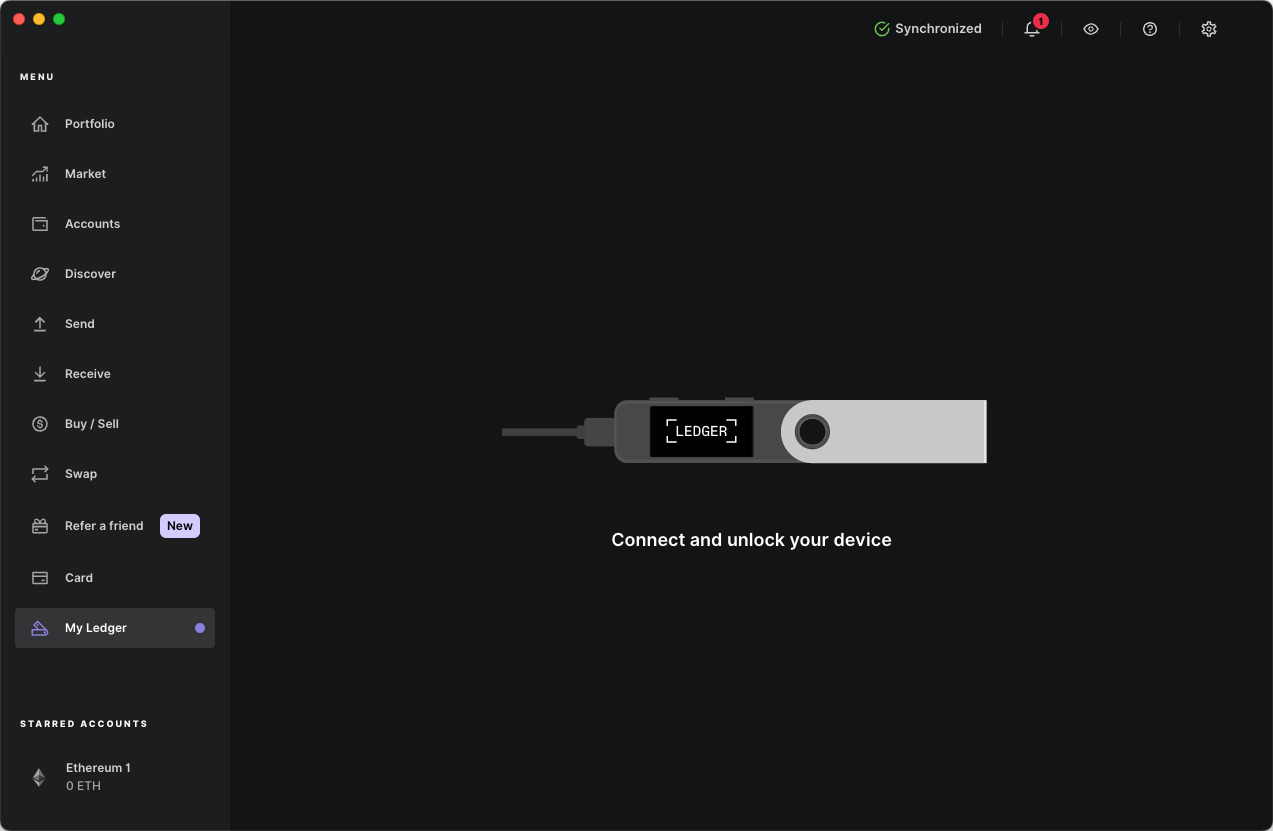 2. Connect your Ledger to your computer and unlock it with your PIN.
3. Navigate to **My Ledger**, search for Aptos in the App catalog and install it.
**Result**: Ledger Live should display Aptos as installed.
## Step 2. Connect
This section explains how to connect Ledger Live to Petra. It assumes that you have [created and funded](/staking/staking-delegation-guides/aptos/staking-with-petra-wallet) a Petra Aptos Wallet.
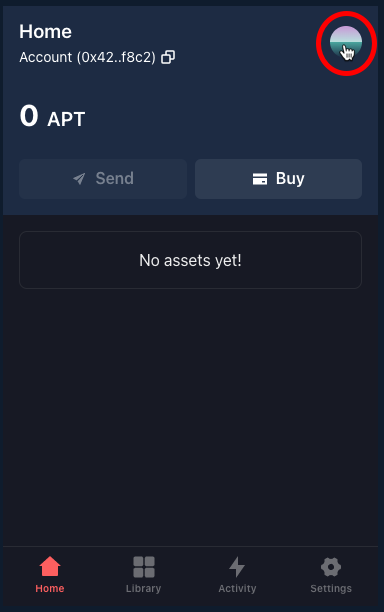
1. Open your Petra Wallet and click the avatar at the top right.
2. Connect your Ledger to your computer and unlock it with your PIN.
3. Navigate to **My Ledger**, search for Aptos in the App catalog and install it.
**Result**: Ledger Live should display Aptos as installed.
## Step 2. Connect
This section explains how to connect Ledger Live to Petra. It assumes that you have [created and funded](/staking/staking-delegation-guides/aptos/staking-with-petra-wallet) a Petra Aptos Wallet.
1. Open your Petra Wallet and click the avatar at the top right.
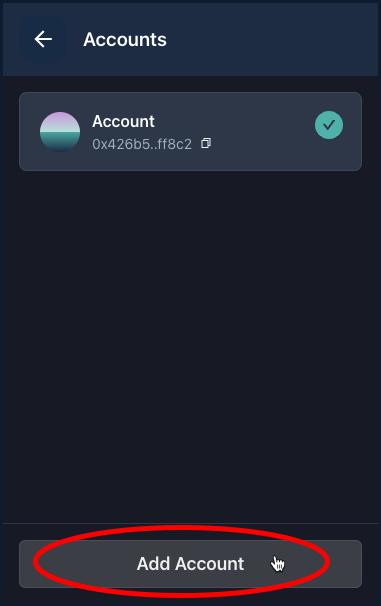
 2. Click **Add Account**.
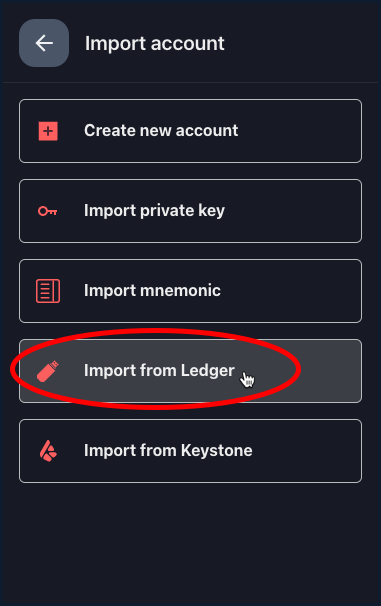
 3. Click **Import from Ledger**.
 4. Click **Pair**.
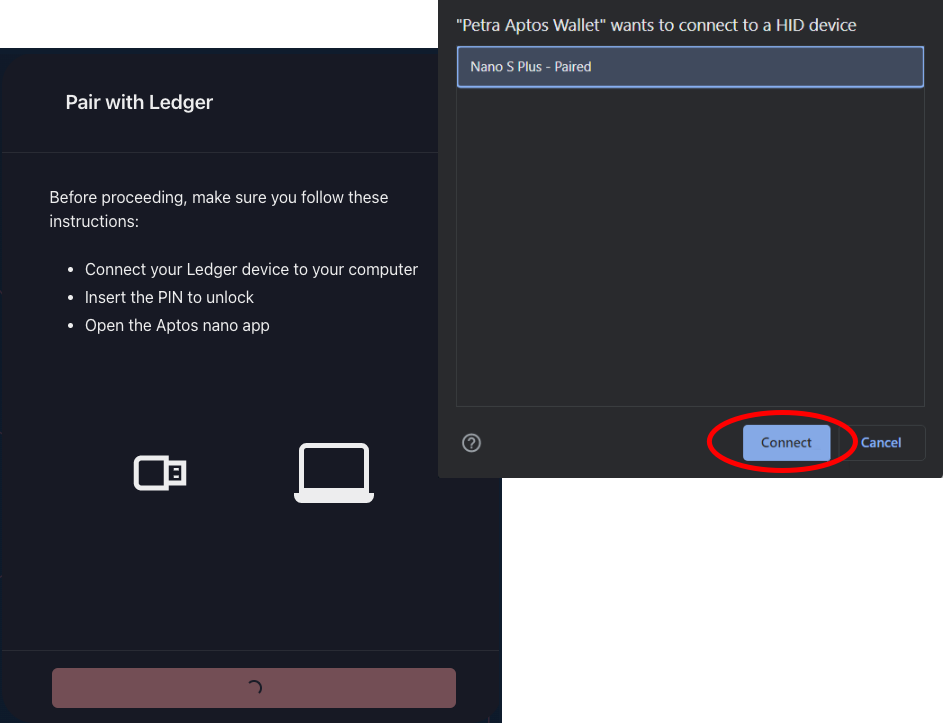
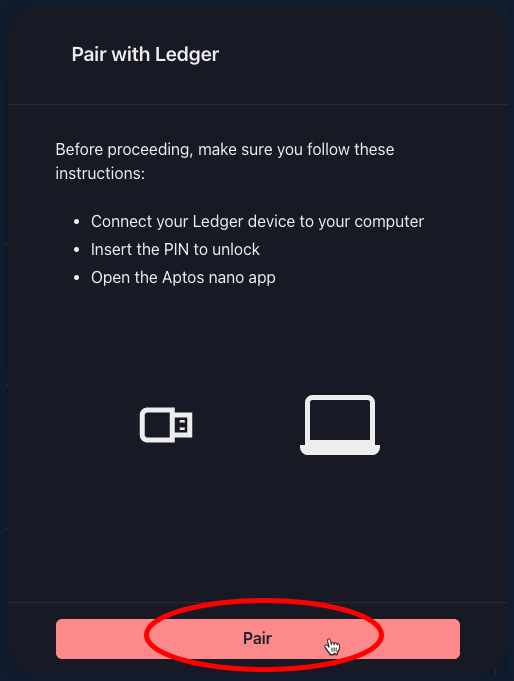 5. Select your Ledger device and click **Connect**.
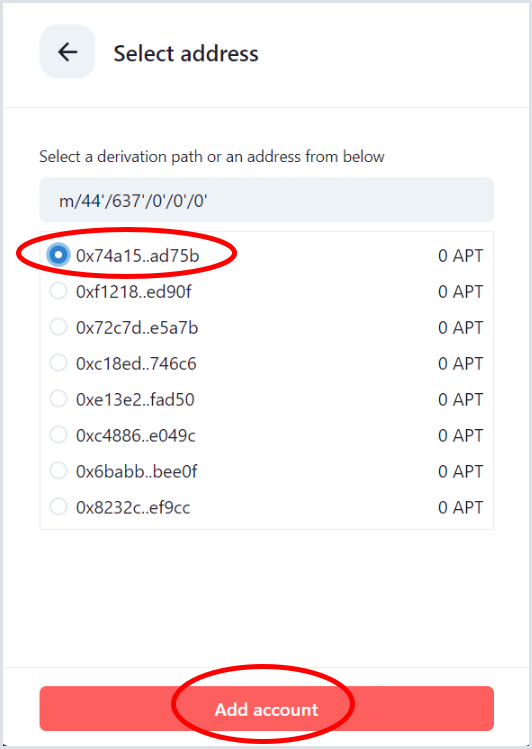
 6. Select an account address then click **Add account**.
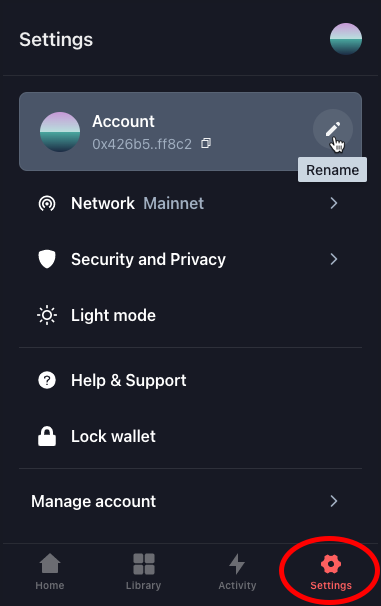
 7. Click Settings, select your new account, and rename it to something meaningful.
 8. See [Step 2. Connect and Stake](/staking/staking-delegation-guides/aptos/staking-with-petra-wallet#step-2-connect-and-stake) to stake APT with your Petra Wallet.